
Artificial intelligence is changing the way students learn; through research, analyzing data, or writing content. The challenge for higher education is how to ensure students continue to think critically, exercise judgement, and make decisions for themselves.
We believe business simulations are particularly well suited to meet that challenge.
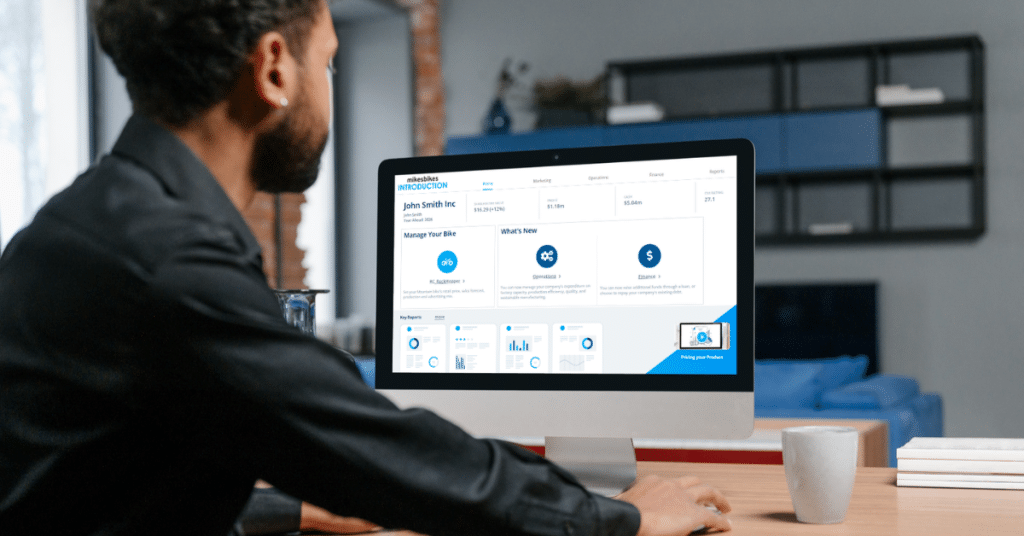
A simulation asks students to do more than simply produce an answer. They must interpret information, make a series of interconnected decisions, observe the consequences, adjust their strategy, work with others, and explain the reasoning behind the decisions they make. AI can assist with parts of this process, but it cannot replace the experience of making decisions and being accountable for the outcomes.
This is also what makes business simulations increasingly relevant in an AI-enabled workplace. As students enter organizations where AI tools are commonplace, the valued skills will be using AI to strengthen their own analysis and decision-making; recognizing its assumptions, challenging its recommendations, and deciding what is appropriate in context. Business simulations provide a practical environment for developing that judgment.
Simulations also provide something AI cannot replicate – genuine human interaction. Students compete and collaborate with one another, debate strategy, negotiate decisions, respond to competitors, and experience the consequences together. These interactions are an important part of experiential learning and often become some of the most memorable aspects of a student’s university experience.
How Smartsims Keep Students Thinking & Engaged
Our approach is to use simulation design, assessment structure, instructor involvement, student activity data, and greater scenario variation to keep students actively engaged in the learning process – while also recognizing that learning how to use AI appropriately is itself an important business skill.
Our current approach focuses on four areas:
1. Focus Assessment on the Decision Process
Business simulations work best when students are assessed on more than their simulation results. We recommend placing greater emphasis on activities such as:
- Explaining the strategy behind decisions.
- Analyzing results as a team/class after each rollover.
- Reflecting on mistakes and changes in direction.
- Connecting decisions to course concepts.
- Evaluating individual contribution to team decisions.
A student may use AI to help explore an idea, but they should still be expected to understand, justify, and reflect on the decisions they make.
The goal is to assess the learning process, not simply whether a student achieved a high simulation score.
2. Introduce Unexpected Events
Instructors can also make the simulation less predictable. Through the Smartsims Administrator instructors can introduce events such as market demand shocks, financial penalties, or incentives.
For example, an instructor might introduce an economic downturn that reduces demand, or a regulatory penalty that affects particular firms. Students then need to respond to the new situation and explain how it affected their strategy.
This makes it harder to rely on a fixed set of decisions while creating additional opportunities for analysis, discussion, and reflection.
3. Building More Variation into Simulation Scenarios
As AI tools improve, students may find it easier to access suggested strategies and decision approaches. While this not a new challenge, i.e. students sharing of decisions and strategies amongst themselves, AI may make this information more readily available.
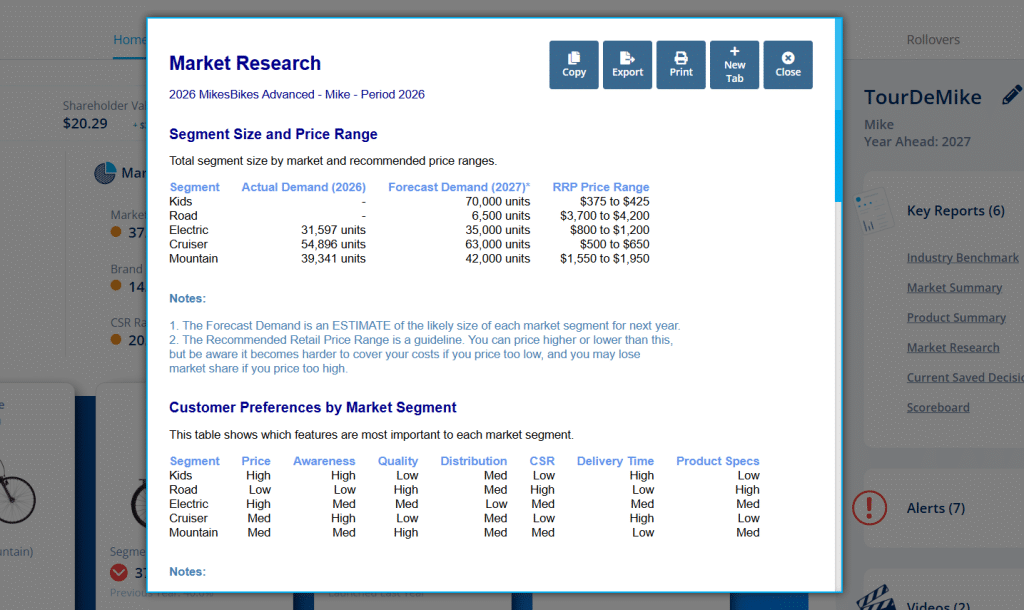
Smartsims’ approach is to build greater variation into our scenarios. This could include the option to vary factors over the simulation such as:
- Customer preferences
- Media viewing habits
- Market growth
- Price sensitivity
- Cost structures
- Competitor behavior
The objective is not to introduce random changes simply to confuse AI. Students still need to understand cause and effect. Rather, to ensure students regularly analyze the information available to them and adapt their strategy.
4. Use Simulation Activity to Monitor Engagement
The Smartsims Administrator already enables instructors to see how students are using the simulation.
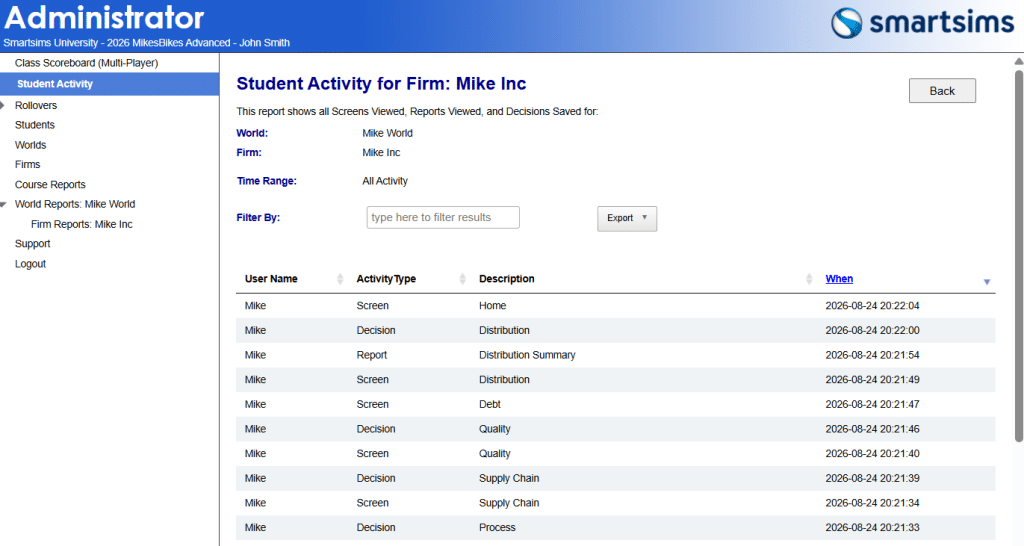
The Student Activity screen shows information such as time spent, rollovers, rollbacks, restores, and the best result achieved within a particular period. This provides a detailed history of their progression through the simulation. This can help instructors to distinguish between students who have actively experimented and refined their decisions, compared to those who have achieved strong results with little apparent activity.
Preparing Students for an AI-Enabled Workplace
For Smartsims, the question is not simply how to stop students using AI, but how to ensure they are still thinking, making decisions, and learning while using it.
As AI makes information, analysis, and recommendations easier to obtain, the ability to evaluate those recommendations and exercise sound judgement becomes even more important. AI can assist with analysis, but it cannot remove the student’s responsibility for the decisions they make or the outcomes that follow. That is where experiential learning continues to have real value.
Business simulations require students to interpret information, weigh alternatives, respond to changing conditions, work with others, and learn from the consequences of their decisions. These are the skills business simulations have always been designed to develop, and they are exactly the skills students will need in an AI-enabled workplace. For that reason, we believe business simulations are becoming more relevant, not less.
Please contact us if you have any questions or would like to discuss this further with the Smartsims team.